menu
{ "item_title" : "Insta360 X5 User Guide", "item_author" : [" Justin Brown "], "item_description" : "The Insta360 X5 is packed with powerful features that can transform the way you capture photos and videos-but only if you know how to use them. If you've ever felt overwhelmed by unfamiliar menus, confusing settings, or advanced shooting modes, you're not alone. This guide is designed to help you move beyond trial and error so you can start creating stunning content with confidence.Whether you're documenting unforgettable vacations, filming thrilling outdoor adventures, recording family memories, or creating content for YouTube, TikTok, Instagram, or Facebook, this book provides the practical knowledge you need to get the most from your camera.Inside, you'll discover how to: Set up and activate your Insta360 X5 with confidenceUnderstand every button, menu, icon, and camera setting without feeling overwhelmedChoose the right shooting mode for every situationCapture breathtaking 360photos and smooth cinematic videosRecord clearer audio and reduce wind noise outdoorsMaster reframing, AI editing, keyframing, and mobile editing toolsCreate eye-catching Time-Lapse, TimeShift, and slow-motion videosExport your projects for YouTube, TikTok, Instagram, and Facebook with the right settingsExtend battery life, organize your files, and avoid storage problemsChoose the best accessories and mounts for travel, sports, vlogging, and everyday adventuresTroubleshoot common camera, recording, editing, and connectivity issues quicklyBuild professional shooting habits that improve every video you createMaintain your Insta360 X5 for reliable long-term performanceMore than just a collection of features, this guide focuses on solving the real challenges that many new owners face. Each chapter provides practical explanations, step-by-step guidance, helpful tips, troubleshooting advice, and real-world examples that make learning easier and more enjoyable.Instead of guessing which setting to use or wondering why your videos don't look the way you imagined, you'll gain the confidence to use your Insta360 X5 effectively in almost any situation.If you're ready to spend less time feeling frustrated and more time capturing incredible memories, creating professional-looking content, and making the most of every adventure, this guide is the perfect companion.Your journey to becoming a more confident Insta360 X5 creator starts here.", "item_img_path" : "https://covers3.booksamillion.com/covers/bam/9/79/819/087/9798190879322_b.jpg", "price_data" : { "retail_price" : "17.99", "online_price" : "17.99", "our_price" : "17.99", "club_price" : "17.99", "savings_pct" : "0", "savings_amt" : "0.00", "club_savings_pct" : "0", "club_savings_amt" : "0.00", "discount_pct" : "10", "store_price" : "" } }
Insta360 X5 User Guide|Justin Brown

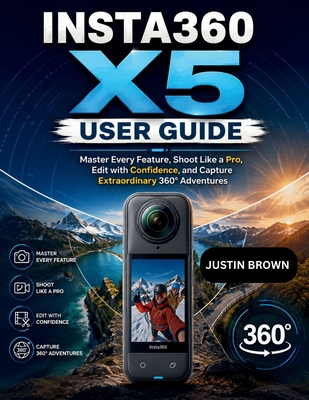
Insta360 X5 User Guide : Master Every Feature, Shoot Like a Pro, Edit with Confidence, and Capture Extraordinary 360° Adventures

local_shippingShip to Me
In Stock.
FREE Shipping for Club Members help

Overview

The Insta360 X5 is packed with powerful features that can transform the way you capture photos and videos-but only if you know how to use them. If you've ever felt overwhelmed by unfamiliar menus, confusing settings, or advanced shooting modes, you're not alone. This guide is designed to help you move beyond trial and error so you can start creating stunning content with confidence.

Whether you're documenting unforgettable vacations, filming thrilling outdoor adventures, recording family memories, or creating content for YouTube, TikTok, Instagram, or Facebook, this book provides the practical knowledge you need to get the most from your camera.

Inside, you'll discover how to:

  • Set up and activate your Insta360 X5 with confidence

  • Understand every button, menu, icon, and camera setting without feeling overwhelmed

  • Choose the right shooting mode for every situation

  • Capture breathtaking 360 photos and smooth cinematic videos

  • Record clearer audio and reduce wind noise outdoors

  • Master reframing, AI editing, keyframing, and mobile editing tools

  • Create eye-catching Time-Lapse, TimeShift, and slow-motion videos

  • Export your projects for YouTube, TikTok, Instagram, and Facebook with the right settings

  • Extend battery life, organize your files, and avoid storage problems

  • Choose the best accessories and mounts for travel, sports, vlogging, and everyday adventures

  • Troubleshoot common camera, recording, editing, and connectivity issues quickly

  • Build professional shooting habits that improve every video you create

  • Maintain your Insta360 X5 for reliable long-term performance

More than just a collection of features, this guide focuses on solving the real challenges that many new owners face. Each chapter provides practical explanations, step-by-step guidance, helpful tips, troubleshooting advice, and real-world examples that make learning easier and more enjoyable.

Instead of guessing which setting to use or wondering why your videos don't look the way you imagined, you'll gain the confidence to use your Insta360 X5 effectively in almost any situation.

If you're ready to spend less time feeling frustrated and more time capturing incredible memories, creating professional-looking content, and making the most of every adventure, this guide is the perfect companion.

Your journey to becoming a more confident Insta360 X5 creator starts here.

This item is Non-Returnable

Details

  • ISBN-13: 9798190879322
  • ISBN-10: 9798190879322
  • Publisher: Independently Published
  • Publish Date: August 2026
  • Dimensions: 11 x 8.5 x 0.51 inches
  • Shipping Weight: 1.27 pounds
  • Page Count: 244

Related Categories

You May Also Like...

    1

BAM Customer Reviews