menu
{ "item_title" : "Visualizing Windows 11", "item_author" : [" Isaac Alejo "], "item_description" : "Windows 11 is the latest version of Microsoft's operating system, and it's packed with new features and improvements. It features a redesigned user interface with a centered Start menu and taskbar, rounded corners, and new icons. It also includes new features such as Snap Layouts, Snap Groups, Widgets, and a redesigned Microsoft Store. Windows 11 is designed to be more touch-friendly and productive, and it also includes a number of security improvements.But if you're a senior, you may be feeling overwhelmed by all the changes. That's where this book comes in. Visualizing Windows 11 is a comprehensive guide to using Windows 11, written specifically for older adults. Windows 11 for Seniors is the perfect guide for older adults who want to learn how to use the latest version of Windows. This comprehensive book covers everything from the basics of using the operating system to more advanced topics like using the internet, managing files, and using productivity apps.The book is written in a clear and easy-to-understand style, and it uses plenty of screenshots and step-by-step instructions to make learning as easy as possible. Whether you're a complete beginner or you're just looking for a refresher, Visualizing Windows 11 for Seniors has everything you need to get the most out of your computer.In this book, you'll learn how to: Open Windows 11 AppsUse the App BarAdd a Location in WeatherChange App SettingsSearch for an AppPin and Unpin Apps on the Start ScreenAnd much more!Visualizing Windows 11 for Seniors is the perfect way to learn how to use the latest version of Windows. With its clear and easy-to-understand style, this book is the perfect resource for older adults who want to get the most out of their computer.", "item_img_path" : "https://covers3.booksamillion.com/covers/bam/9/79/885/607/9798856079462_b.jpg", "price_data" : { "retail_price" : "10.99", "online_price" : "10.99", "our_price" : "10.99", "club_price" : "10.99", "savings_pct" : "0", "savings_amt" : "0.00", "club_savings_pct" : "0", "club_savings_amt" : "0.00", "discount_pct" : "10", "store_price" : "" } }
Visualizing Windows 11|Isaac Alejo

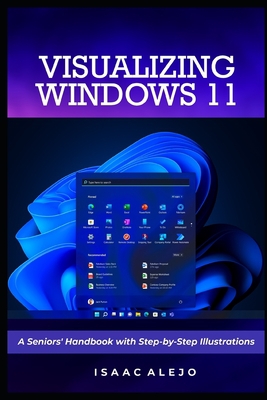
Visualizing Windows 11 : A Seniors' Handbook with Step-by-Step Illustrations

local_shippingShip to Me
In Stock.
FREE Shipping for Club Members help

Overview

Windows 11 is the latest version of Microsoft's operating system, and it's packed with new features and improvements. It features a redesigned user interface with a centered Start menu and taskbar, rounded corners, and new icons. It also includes new features such as Snap Layouts, Snap Groups, Widgets, and a redesigned Microsoft Store. Windows 11 is designed to be more touch-friendly and productive, and it also includes a number of security improvements.

But if you're a senior, you may be feeling overwhelmed by all the changes. That's where this book comes in. Visualizing Windows 11 is a comprehensive guide to using Windows 11, written specifically for older adults. Windows 11 for Seniors is the perfect guide for older adults who want to learn how to use the latest version of Windows. This comprehensive book covers everything from the basics of using the operating system to more advanced topics like using the internet, managing files, and using productivity apps.

The book is written in a clear and easy-to-understand style, and it uses plenty of screenshots and step-by-step instructions to make learning as easy as possible. Whether you're a complete beginner or you're just looking for a refresher, Visualizing Windows 11 for Seniors has everything you need to get the most out of your computer.

In this book, you'll learn how to:

  • Open Windows 11 Apps
  • Use the App Bar
  • Add a Location in Weather
  • Change App Settings
  • Search for an App
  • Pin and Unpin Apps on the Start Screen
  • And much more!

Visualizing Windows 11 for Seniors is the perfect way to learn how to use the latest version of Windows. With its clear and easy-to-understand style, this book is the perfect resource for older adults who want to get the most out of their computer.

This item is Non-Returnable

Details

  • ISBN-13: 9798856079462
  • ISBN-10: 9798856079462
  • Publisher: Independently Published
  • Publish Date: August 2023
  • Dimensions: 9 x 6 x 0.27 inches
  • Shipping Weight: 0.39 pounds
  • Page Count: 126

Related Categories

You May Also Like...

    1

BAM Customer Reviews